

Google Lighthouse is a free, automated tool from Google that audits your website’s performance, accessibility, best practices, and basic SEO health. It simulates how Google’s bots load and interact with your pages (usually via Chrome’s DevTools, a CLI or browser extension) and generates a detailed report and score (0–100) for key metrics like load time and mobile-friendliness. In practice, running Lighthouse on your site URL helps you see where the page lags (for example, if it loads too slowly or shifts content unexpectedly) and points out exactly what to fix. In short, Lighthouse lets you “look at your website through Google’s eyes,” revealing technical issues that hurt user experience.
Why Lighthouse Matters for SEO
Google’s ranking algorithms reward sites that load fast and provide smooth user experiences. Lighthouse focuses on metrics known as Core Web Vitals (like load speed, interactivity, and visual stability), which are formally part of Google’s page experience criteria. Improving these metrics usually means a better user experience, which in turn leads to higher engagement. Well, In fact, better Lighthouse scores often translate into higher search rankings and traffic because Google is more likely to serve pages that delight users. In practical terms:
- Faster load times and stable layouts reduce bounce rates and keep visitors on your site longer.
- Google explicitly notes that page experience (including Core Web Vitals) is a ranking signal; a great performance can give you an edge when multiple pages have similar content.
- A high Lighthouse score reflects fewer technical issues and a smoother site. This aligns with Google’s goal of providing quality results, so optimizing your Lighthouse metrics can indirectly boost SEO.
In short, the Lighthouse matters because it pinpoints exactly where your site is slowing down or frustrating users, and fixing those issues tends to improve both SEO performance and business outcomes.
How Lighthouse Works & Audit Categories
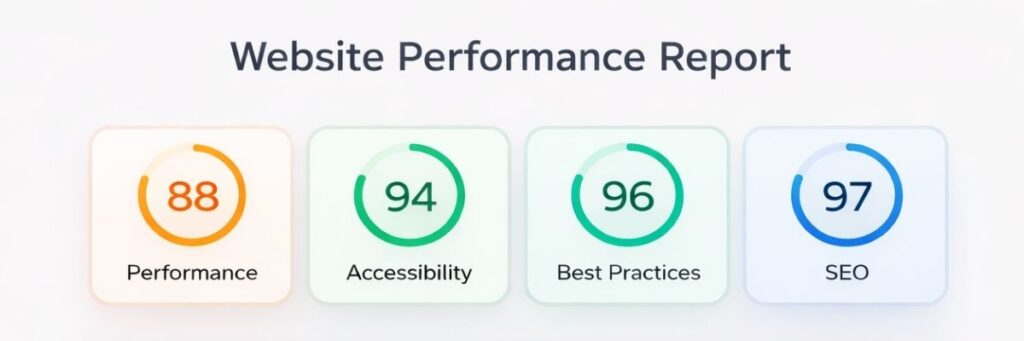
Google Lighthouse runs in a headless Chrome browser (Chromium) and builds your page while measuring key behaviors. It automatically audits five main categories of your site: Performance, Accessibility, Best Practices, SEO, and Progressive Web App support. Each category gets its own score (0–100) and detailed feedback. For example, the Performance audit measures how fast content loads and how quickly the page becomes interactive. The Accessibility audit flags issues like missing alt text or low contrast. The Best Practices checks for outdated code or insecure HTTPS usage, and the SEO audit ensures basics like titles, meta tags, and mobile usability are in place. Together, these tests show you where to improve across both user experience and SEO hygiene.
Lighthouse especially emphasizes Core Web Vitals – the metrics Google uses to judge page experience. These include:
- Largest Contentful Paint (LCP): time for the main content (largest element) to load. A good target is under ~2.5 seconds for most visits.
- Interaction to Next Paint (INP): measures site responsiveness to user actions. (Note: Google replaced First Input Delay (FID) with INP in 2024 to capture overall interactivity.) A “good” INP means under ~200ms.
- Cumulative Layout Shift (CLS): measures visual stability (how much the page shifts during loading). Lower CLS (under 0.1) means a more stable layout
Running Lighthouse gives you a numeric score for each category and sub-metric, highlighting the biggest bottlenecks. For example, if your LCP is slow, Lighthouse will point that out; if CLS is high, it shows which elements are causing layout shifts. In this way, it translates raw performance data into actionable insights.
Optimizing Lighthouse Performance Metrics
Improving Lighthouse scores generally means speeding up your site and stabilizing its content. Some key optimization tips include:
- Optimize and prioritize loading of key elements: Ensure the largest page elements (like hero images or videos) start loading immediately and finish quickly. Compress images and use modern formats (WebP/AVIF) to reduce LCP. Defer or lazy-load below-the-fold images.
- Minify and split CSS/JavaScript: Eliminate render-blocking resources by minifying code and only loading critical CSS upfront. Remove unused CSS/JS and consolidate files where possible. Preload critical requests (fonts, key images, scripts) to speed up rendering.
- Leverage caching and CDNs: Use browser caching, CDNs, and optimized server settings to cut down server response times (TTFB). Fast origin response helps everything else load more quickly.
Implementing these fixes will improve your Core Web Vitals. For example, Lighthouse suggests targeting an LCP under 2.5s by serving HTML fast, prioritizing above-the-fold content, and shrinking the LCP element. Similarly, trimming large scripts and deferring non-essential tasks will improve INP (site interactivity) and reduce Total Blocking Time. The bullet points below summarize common actions:
- Improve LCP: Serve main content early, use fast hosting/CDN, optimize images and large text blocks.
- Reduce INP/FID: Cut JavaScript blocking time and speed up input response by minifying code and using efficient libraries. Aim for interactivity under 200ms (INP).
- Lower CLS: Set explicit size attributes on images/videos, avoid inserting content above existing elements, and be cautious with ads/iframes. Stable layouts yield better CLS scores.
Lighthouse Score vs. SEO
It’s important to understand that the Lighthouse score itself (the single number 0–100) is not a direct Google ranking factor. Google does not simply boost pages because they have a high Lighthouse score. Instead, Lighthouse’s underlying metrics (page speed, Core Web Vitals, etc.) are part of Google’s broader Page Experience signals. In practice, this means: focus on real performance and usability improvements, not the score alone.
- A perfect Lighthouse score on paper doesn’t override poor content – relevance and quality remain primary ranking factors.
- However, making your site faster and more stable (which raises the Lighthouse score) aligns with what Google does reward: pages that users find satisfying and quick.
- In many cases, if two pages are equally relevant, the faster one gains an edge. Good Core Web Vitals can give you that extra visibility when competition is tight.
So use Lighthouse as a diagnostic tool. Let it highlight bottlenecks in speed, interactivity, and mobile-friendliness. Fixing those issues will naturally improve your SEO potential, even if the raw score isn’t directly part of the algorithm. In short: treat the score as a guide to better user experience, which in turn benefits search performance.
How Tecmax Digital Can Help
At Tecmax Digital, we specialize in technical SEO and performance optimization. Our team uses Google Lighthouse and other advanced tools to conduct thorough site audits. Here’s how we can help your site rank faster and higher:
- Comprehensive Performance Audits: We run Lighthouse audits (and Core Web Vitals checks) to pinpoint exactly where your site lags – whether it’s a slow hero image, unoptimized scripts, or layout shifts.
- Targeted Technical Fixes: Our developers optimize images, minify and defer code, configure caching/CDNs, and implement best practices (HTTPS, lazy loading, etc.) that address the root causes of slow speeds.
- Continuous Monitoring: We set up ongoing performance monitoring and reporting, so you can track Core Web Vitals and Lighthouse scores over time and ensure any regressions are caught early.
- Integrated SEO Strategy: We align site speed improvements with broader SEO tactics (content optimization, mobile-first design, schema markup), ensuring every change boosts your rankings and user engagement.
Tecmax Digital has a proven track record of helping businesses improve their site speed and SEO simultaneously. Ready to boost your site’s performance and search visibility? Contact Tecmax Digital today to get a custom site audit and learn how we can optimize your Google Lighthouse scores and Core Web Vitals for higher rankings and conversions.
FAQs
- What is Google Lighthouse used for?
Google Lighthouse is a free tool that audits website performance, accessibility, SEO, and coding best practices. It helps site owners find and fix issues affecting speed and user experience. - Does Google Lighthouse affect SEO directly?
While the Lighthouse score itself isn’t a direct ranking factor, its metrics – like Core Web Vitals – impact SEO. Fixing Lighthouse-flagged issues improves user experience, which is important for rankings. - How often should I run a Lighthouse audit?
Run a Lighthouse audit monthly or after key changes to your site. This helps catch performance regressions early and ensures your optimizations stay effective over time. - What are Core Web Vitals in Lighthouse?
Core Web Vitals are user experience metrics: LCP (loading speed), INP (interactivity), and CLS (visual stability). These are part of Google’s page experience ranking signals. - Why is my Lighthouse score different on mobile vs. desktop?
Lighthouse simulates slower mobile networks and devices, which can reveal more bottlenecks. Desktop scores tend to be higher due to faster processors and fewer constraints. - What’s a good Lighthouse score?
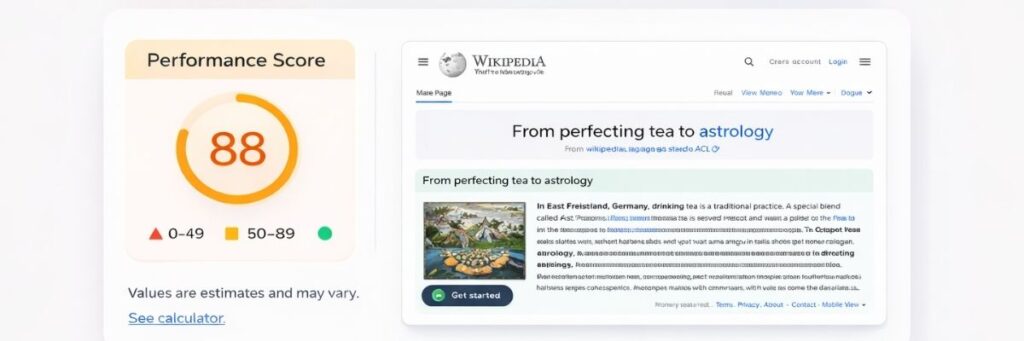
A score of 90 or above is considered excellent. Scores below 50 suggest major issues that could be hurting SEO, especially on mobile. - Can Lighthouse help improve conversion rates?
Yes. Faster, more stable websites reduce bounce rates and encourage deeper engagement. Fixing issues found in Lighthouse can lead to better user satisfaction and more conversions. - Is Lighthouse only for developers?
No. While developers use it to make technical fixes, marketers and business owners can use its visual reports to understand how performance affects SEO and customer experience. - What’s the difference between PageSpeed Insights and Lighthouse?
PageSpeed Insights includes real-world performance data from Chrome users (field data). Lighthouse runs simulated tests in a lab environment and gives detailed improvement suggestions.. - Can Tecmax Digital improve my Lighthouse score?
Absolutely. Tecmax Digital uses Lighthouse audits to diagnose and fix site speed and UX problems. We optimize your performance metrics to improve SEO and deliver a better user experience.